How to Enter a Position on a Crypto Exchange
Trading team • August 03, 2025
If you're new — no worries. Just follow the steps below, it's easier than you think 👇
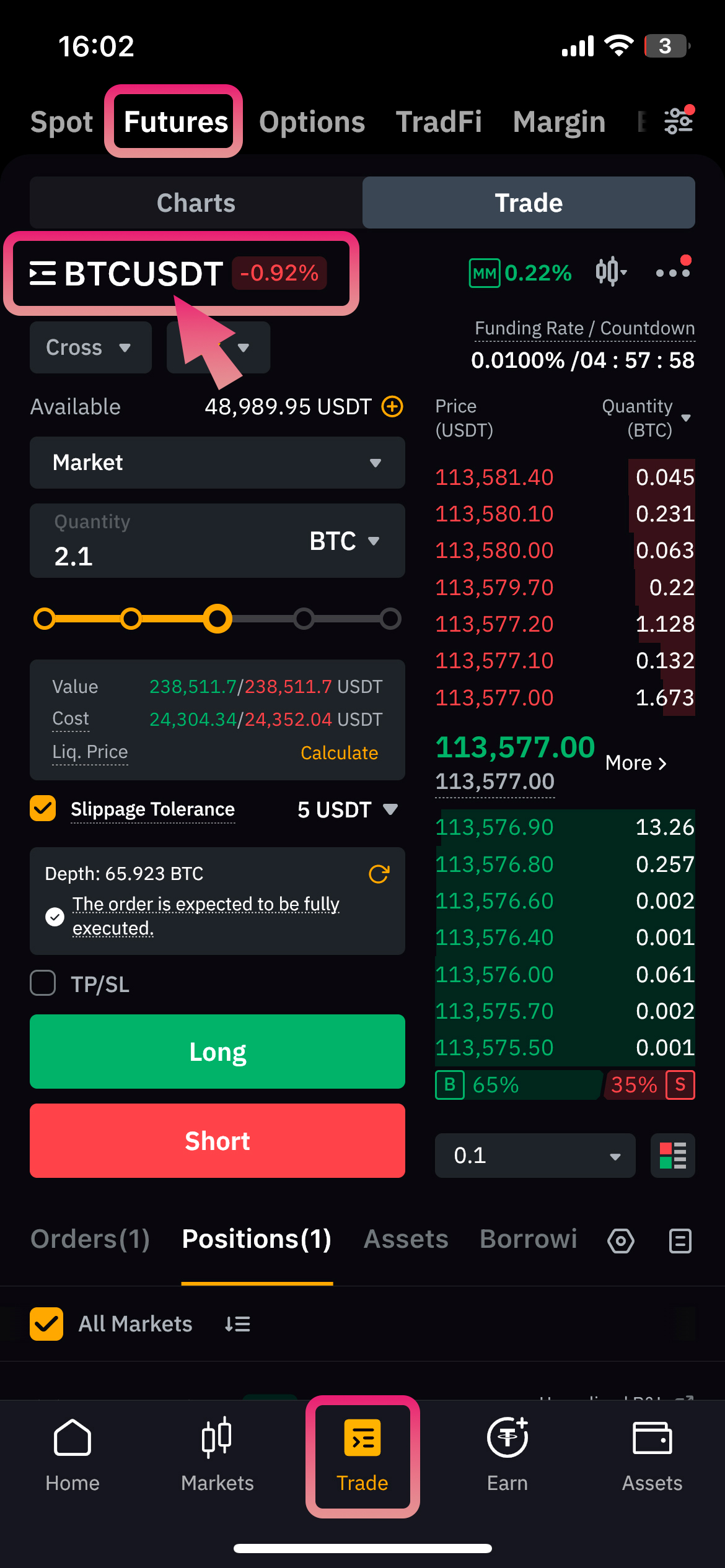
1Open the Trade Tab
Open the Binance app and tap on the Trade tab at the bottom.
This is where we'll be working.
Then, proceed to choose the trading pair we'll be working with.
2Find the Right Pair
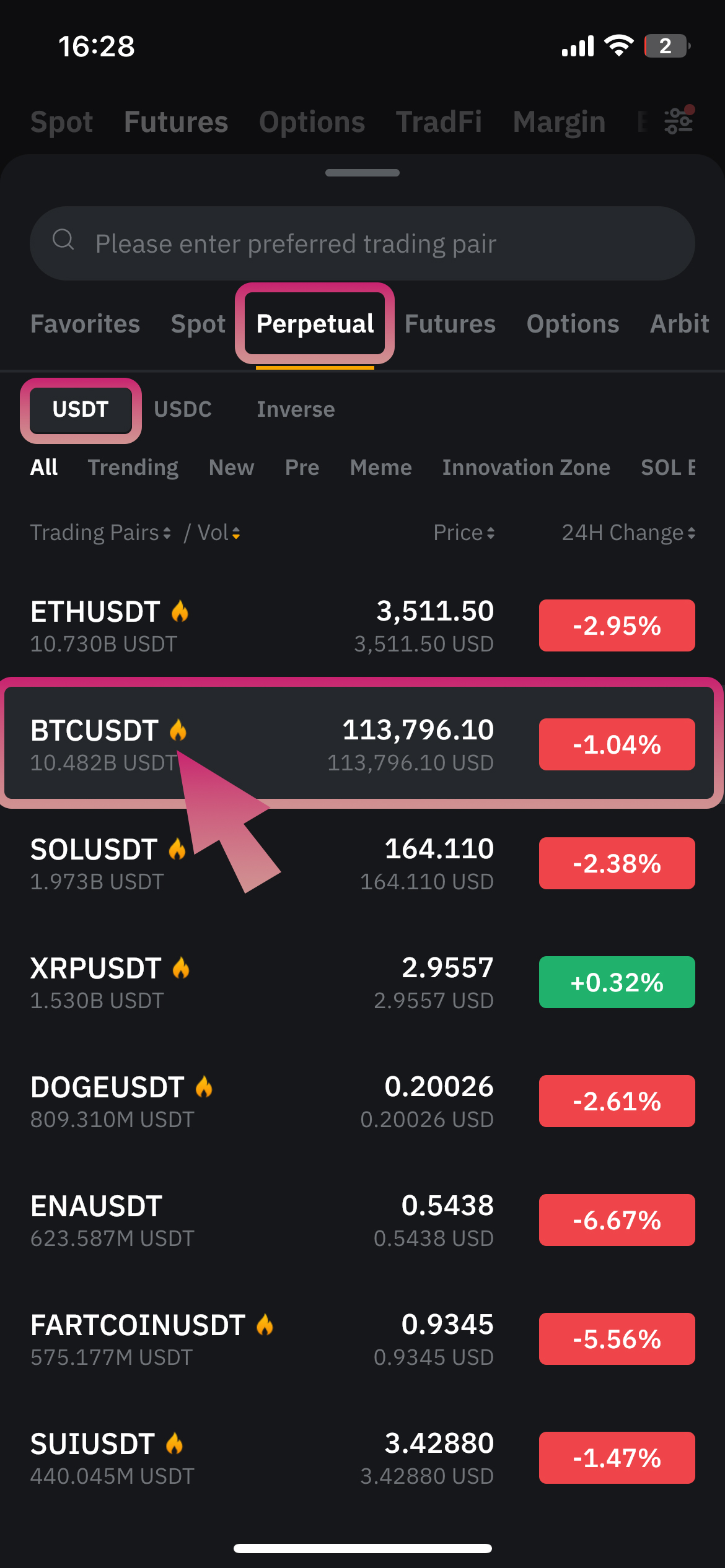
- Tap on the Perpetual tab
- Use the search bar to find the pair, e.g. BTCUSDT
- Tap on it
3Set Your Leverage
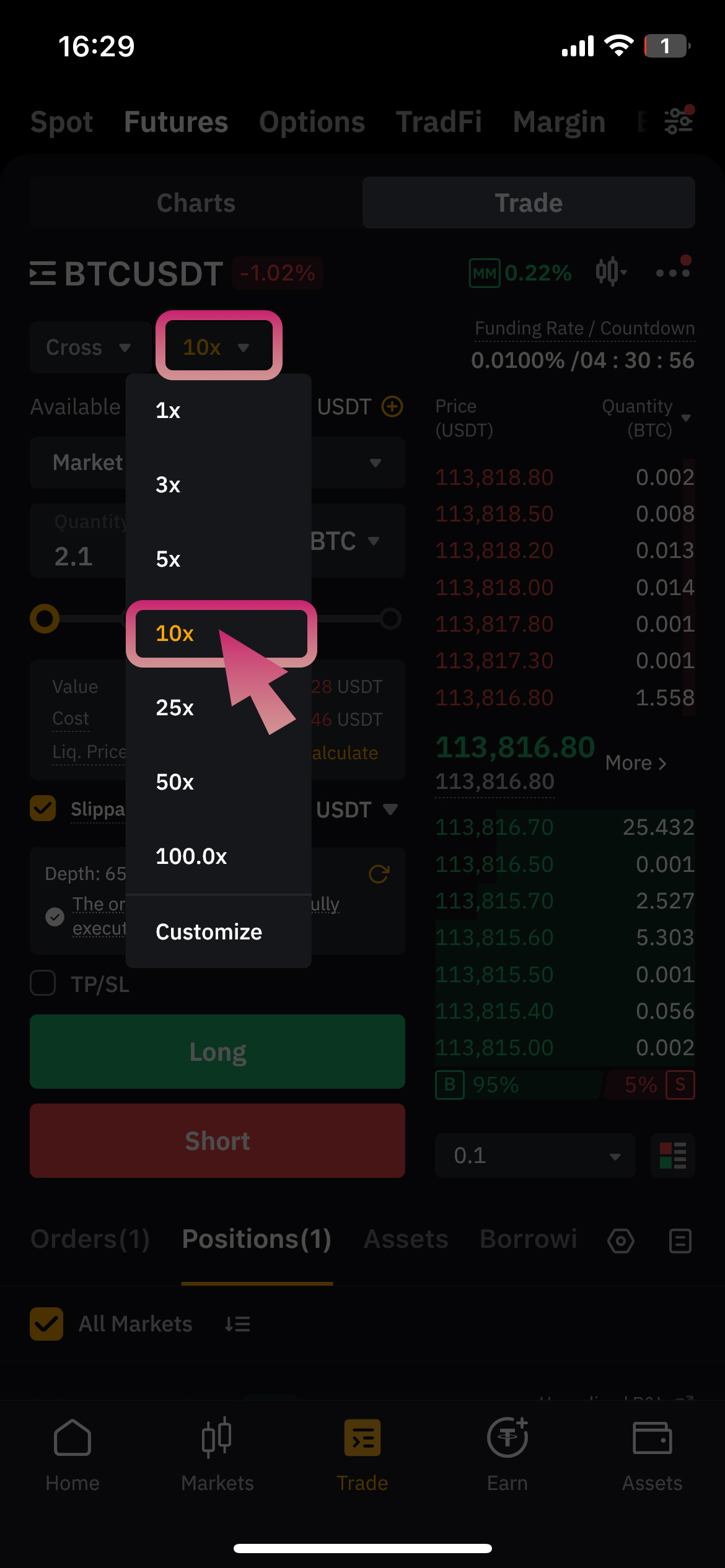
Tap on the leverage value and select the one specified in the signal (for example, 10x).
4Choose Margin Type
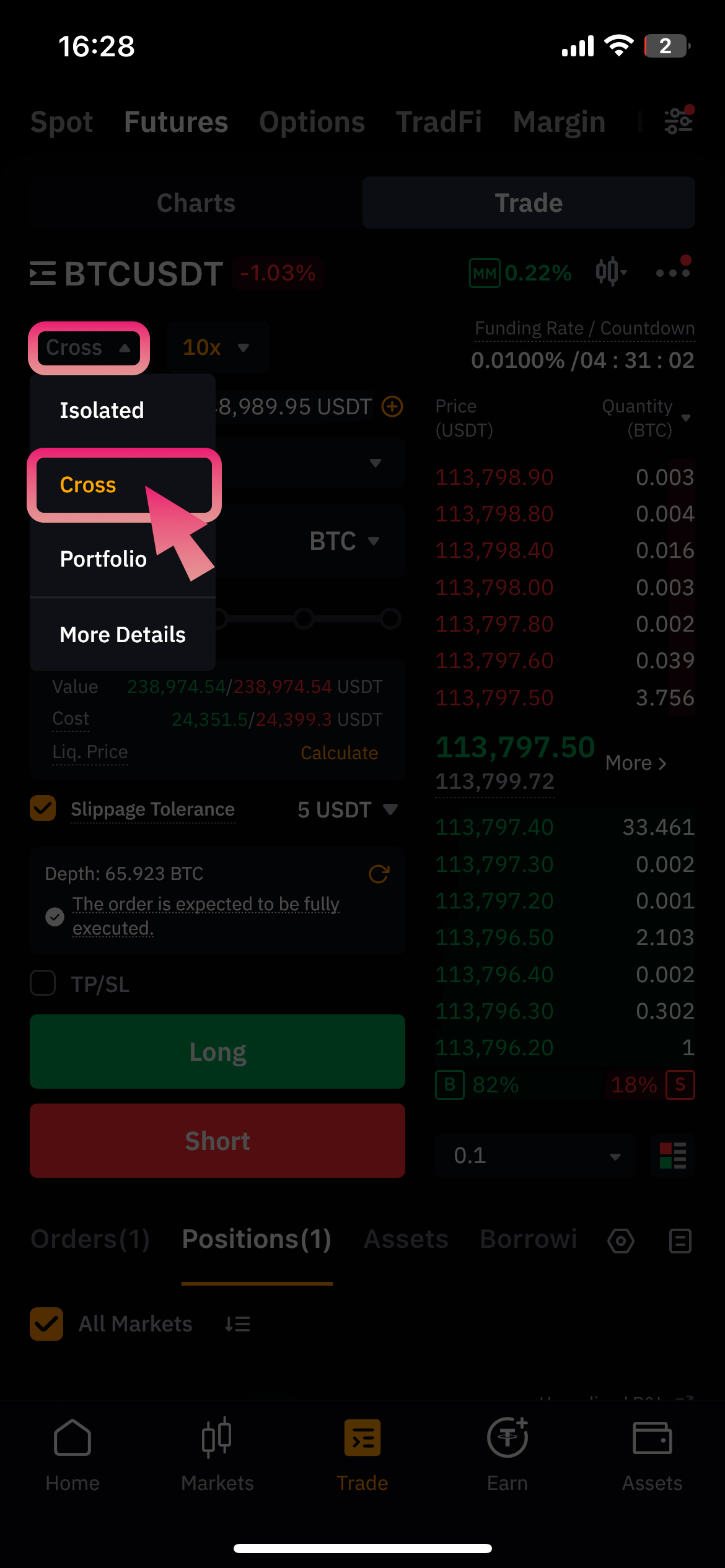
Tap on Cross and select:
Cross — if we're using full account margin
5Choose Order Type
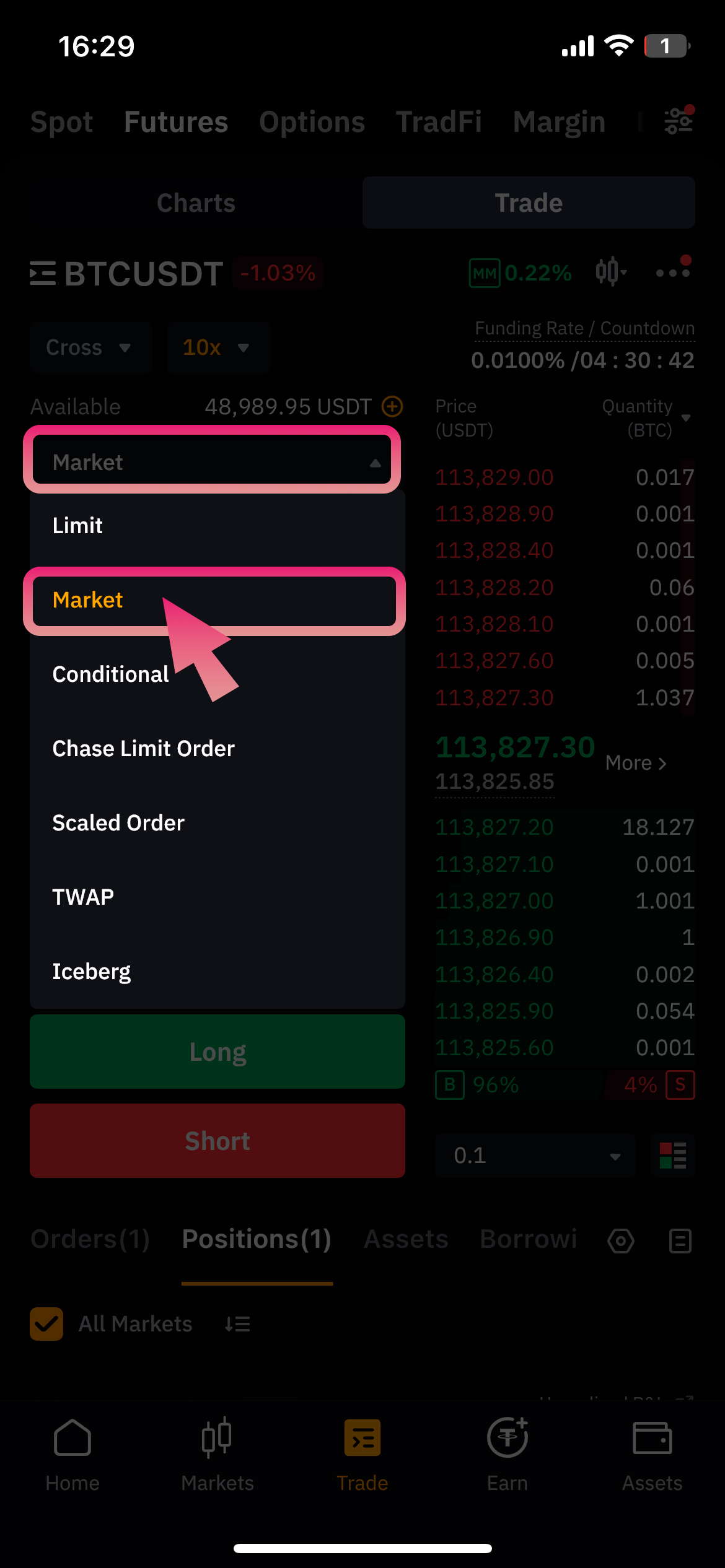
Tap on the order type and choose Market — this will open the position instantly at the current market price.
6Set Take Profit (TP)
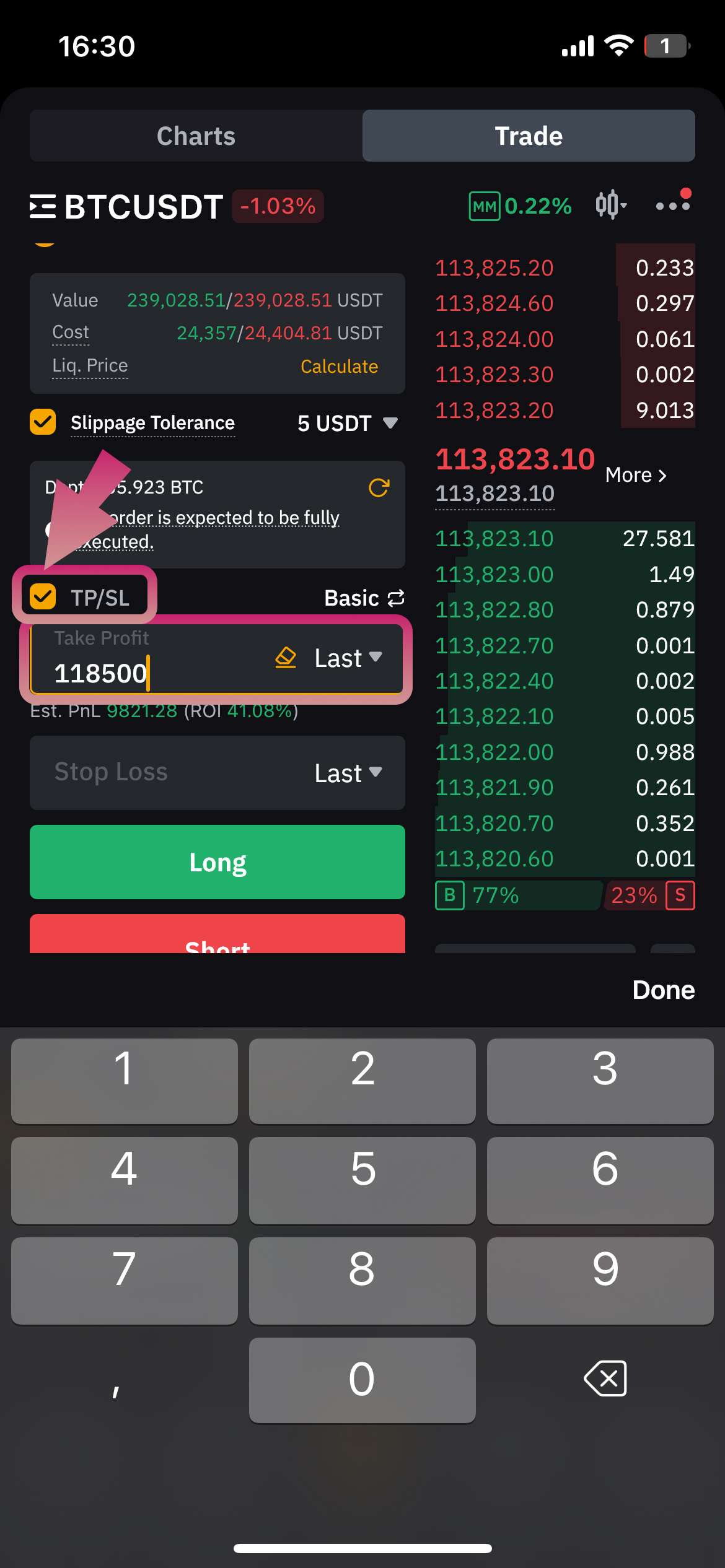
- Check the TP/SL box
- Enter the Take Profit price that I sent in the signal (e.g., 118500)
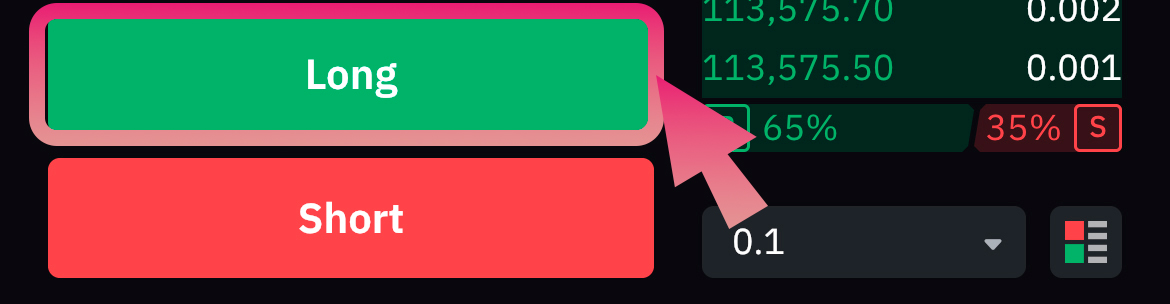
7Choose Direction
The direction will always be mentioned in the signal.